Predicates
Match requests and responses so policy applies only to the calls you choose.
A predicate is a set of checks that decides whether a policy record applies. For example, a rule can deny requests whose method is DELETE and whose path starts with /admin.
Rules, meters, overrides, filters, alerts, and transforms share the request predicate fields. Filters and response transforms can also inspect the target response. Rules and filters can exist on credential and target scopes as well as proxies.
Fields
A call must satisfy every predicate dimension you configure for the action to apply.
| Field | In the app | What it checks |
|---|---|---|
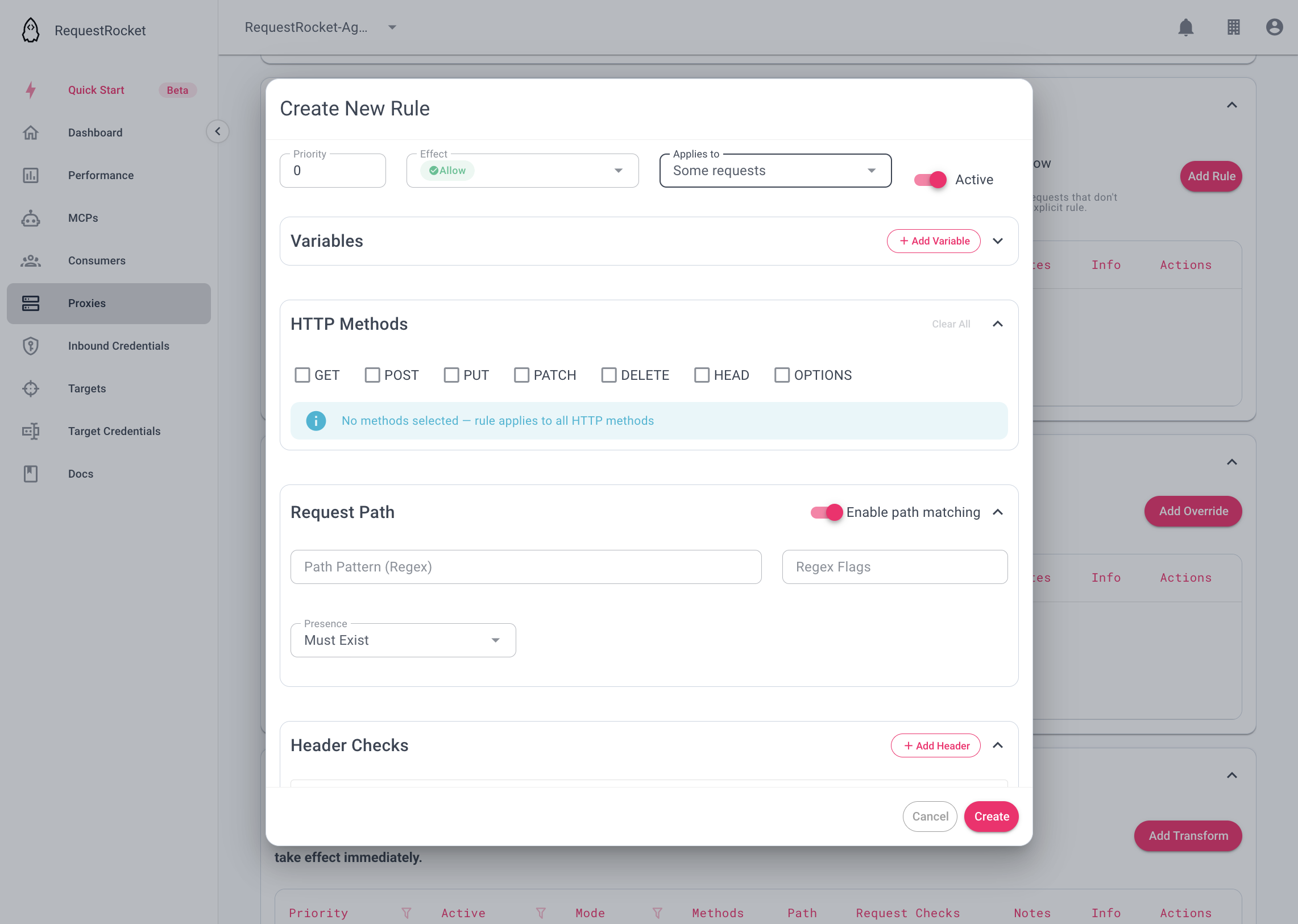
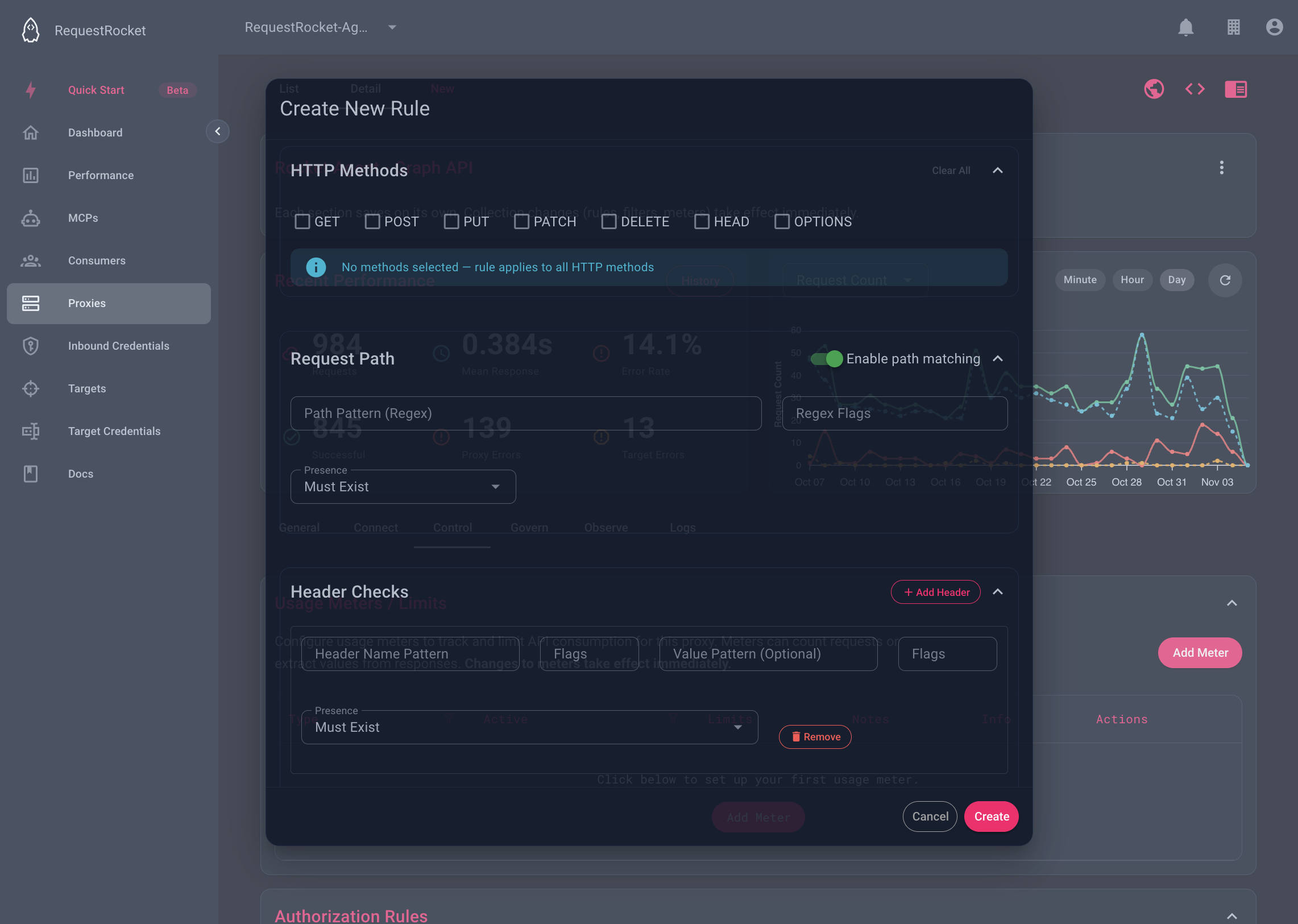
methods | HTTP Methods | The HTTP method. Empty means every method. |
path | Request Path | The path after the proxy base URL, starting with /. |
headers | Header Checks | A header name, and optionally its value. |
query | Query Parameter Checks | A query parameter name, and optionally its value. |
body | Body Checks | A field in the JSON request body, and optionally its value. |
token | Token Checks | A claim in the inbound credential's JWT, and optionally its value. |
responseStatus | Response Status | The HTTP status code of the target's response. Filters and response transforms only. |
responseHeaders | Response Header Checks | A header name on the target's response, and optionally its value. Filters and response transforms only. |
responseBody | Response Body Checks | A field in the JSON response body, and optionally its value. Filters and response transforms only. |
variables | Variables | Names pulled from the call and reused inside patterns. |
Filters call the path field requestPath. The response fields check the target's answer, so a rule, meter, override, or request transform, which runs before the target answers, cannot use them.
Priority is not a predicate but it does determine which predicates are evaluated first (relevant for request and response transforms that only trigger on the first evaluated action).
How predicates work with each action
A predicate only answers whether a call matches. What a match does depends on the action it is attached to, and on the effect or default set on that action.
| Action | What a match does |
|---|---|
| Rule | Applies the rule's effect, allow or deny. Every matching rule is considered, and one matching deny denies the call whatever the priority. When no rule matches, or there are no rules, the default rule effect on the proxy, MCP server, inbound credential, or target decides. A default of deny means a call needs a matching allow rule to get through. |
| Meter | With mode all the predicate is ignored and every call counts. With mode conditional, effect include counts calls that match and exclude counts calls that do not. |
| Limit | A limit has no predicate of its own. It sits on a meter, so the meter's predicate decides which calls count toward the window. |
| Override | Mode and effect work as they do on a meter. Every applicable override is applied, and on a clash the higher priority wins. |
| Request transform and response transform | Mode and effect work as they do on a meter, but only the highest-priority applicable transform runs. A response transform can also use the response fields. |
| Filter | The predicate decides whether the filter runs on the response. Inside it, each operation's jsonPath picks fields to retain or destroy, and defaultFilterOperation decides what happens to every field no operation picks. |
| Alert | Mode and effect work as they do on a meter. An alert attached to another action fires on the calls that action matches. |
The include and exclude effects are the reverse of one another. exclude with a predicate is the same as include with that predicate negated, so use whichever reads better.
Two common predicates
Match an admin path
This predicate matches any path that begins with /admin/. Attach it to a deny rule to block that path.
{
  "path": {
    "path": { "pattern": "^/admin/" },
    "presence": "must_exist"
  }
}
Require a tenant header
This predicate matches when x-tenant-id exists and has a non-empty value.
{
  "headers": [
    {
      "name": { "pattern": "^x-tenant-id$", "flags": "i" },
      "value": { "pattern": ".+" },
      "presence": "must_exist"
    }
  ]
}
In a Core MCP tool call, pass these objects in the tool's path or headers argument. In the Core API, put the same object in the JSON request body. The app exposes the same fields in the policy editor.
Patterns are regular expressions
The name, value, path, field, and claim fields are regular expressions. They use JavaScript regex syntax. Each one is an object with a pattern and optional flags.
{ "pattern": "^/orders/\\d+$", "flags": "i" }Keep these points in mind when you write one.
-
A pattern is not anchored.
/ordersalso matches/archive/orders/42. Start with^and end with$to match the whole value. -
A dot matches any character. Write
\.for a literal dot. The path^custom_metadata\.region$matches one claim.custom_metadata.regionalso matchescustom_metadata_region. -
Flags are JavaScript flags. Any flag the JavaScript
RegExpconstructor accepts is passed through. Leaveflagsempty for none. An invalid flag, or a combination JavaScript rejects, makes the pattern never match.Flag Name Effect iIgnore case Letters match in either case. mMultiline ^and$match at each line break, not only at the start and end of the value.sDot all A dot also matches a newline. uUnicode Treats the pattern and value as Unicode code points and enables \p{...}property escapes.vUnicode sets A stricter Unicode mode that adds set operations in character classes. Use it instead of u. The two cannot be combined.ySticky The match must begin at the start of the value, as if the pattern started with ^.gGlobal Accepted, but has no effect on whether a check matches. dIndices Accepted, but has no effect on whether a check matches. -
Escape backslashes in JSON. In an API body,
\dis written\\d. In the app, type it as\d. -
A pattern that does not compile never matches. A Must Exist check on it fails, so test a new pattern before you rely on it.
Presence
Each check has a presence setting. The app shows Must Exist and Must Be Absent. The API values are must_exist and must_absent.
- Must Exist passes when something matches the pattern.
- Must Be Absent passes when nothing matches the pattern.
A check with a name and a value matches only when the same header, parameter, or field has both. A check with a name and no value matches when the name is present.
Headers and query parameters
The name pattern is tested against every header or parameter name. The value pattern, when set, is tested against the value of those that match the name. Header names can arrive in any case, so add the i flag to a name pattern such as ^x-tenant-id$.
Body and token paths
Body and token checks use dot notation. Each key is joined with a dot, and an array position is its number.
{ "data": { "items": [{ "sku": "A1" }] } }In this body the paths are data, data.items, data.items.0, and data.items.0.sku. The pattern in jsonPath is tested against every one of them.
^data\.items$matches the array.^data\.items\.\d+\.sku$matches the sku of each item.matchFieldis a pattern for a key inside the nodejsonPathfound. When that node is an array, each object in it is checked.matchValueis a pattern for the value of that key.
Token checks work the same way against the decoded claims. claim is the path, such as ^custom_metadata\.region$, and value is tested against the claim value as text. Token checks read the Bearer JWT on the call, which a JWT inbound credential has already verified. With no token, a Must Exist check fails and a Must Be Absent check passes.
Variables
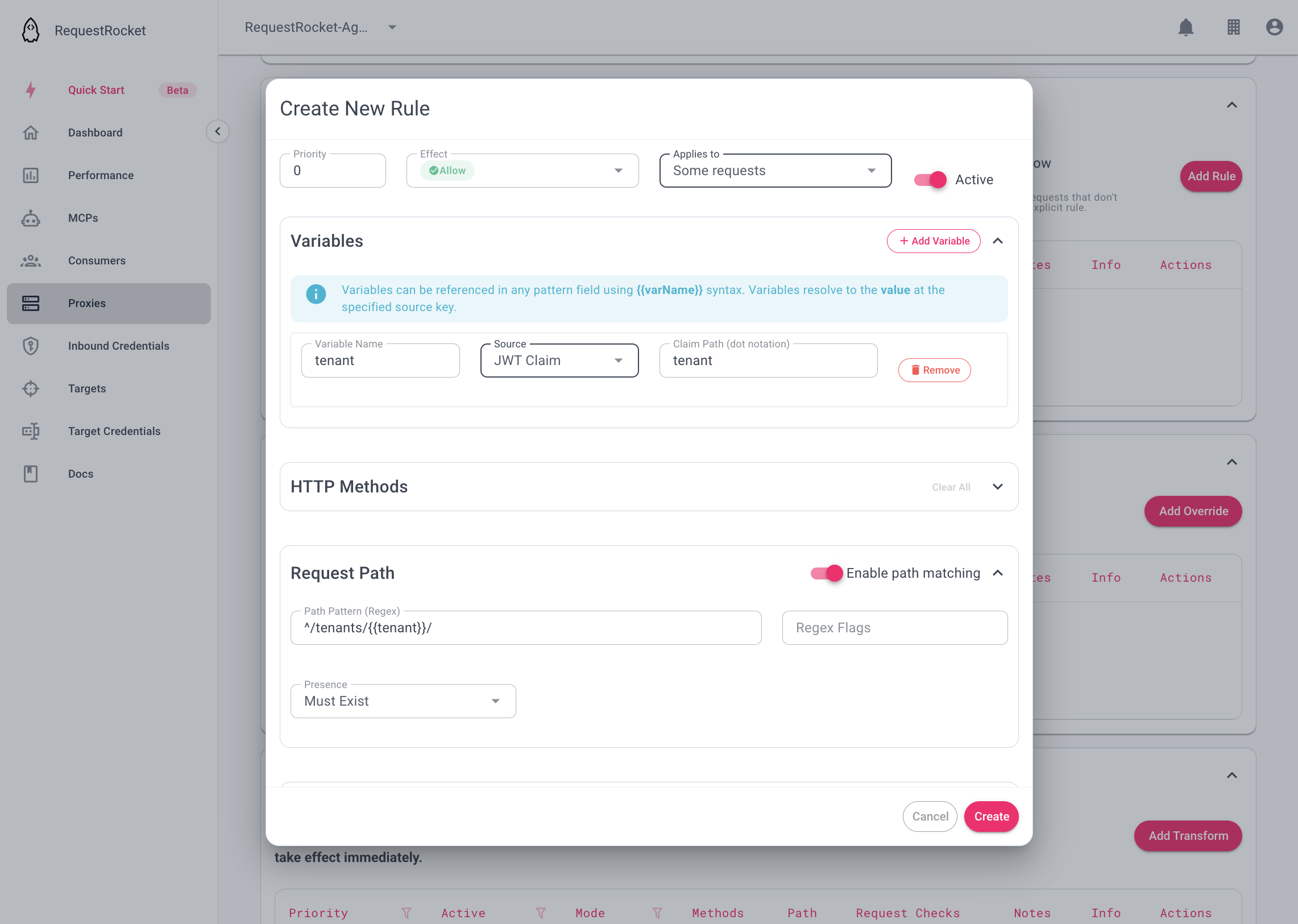
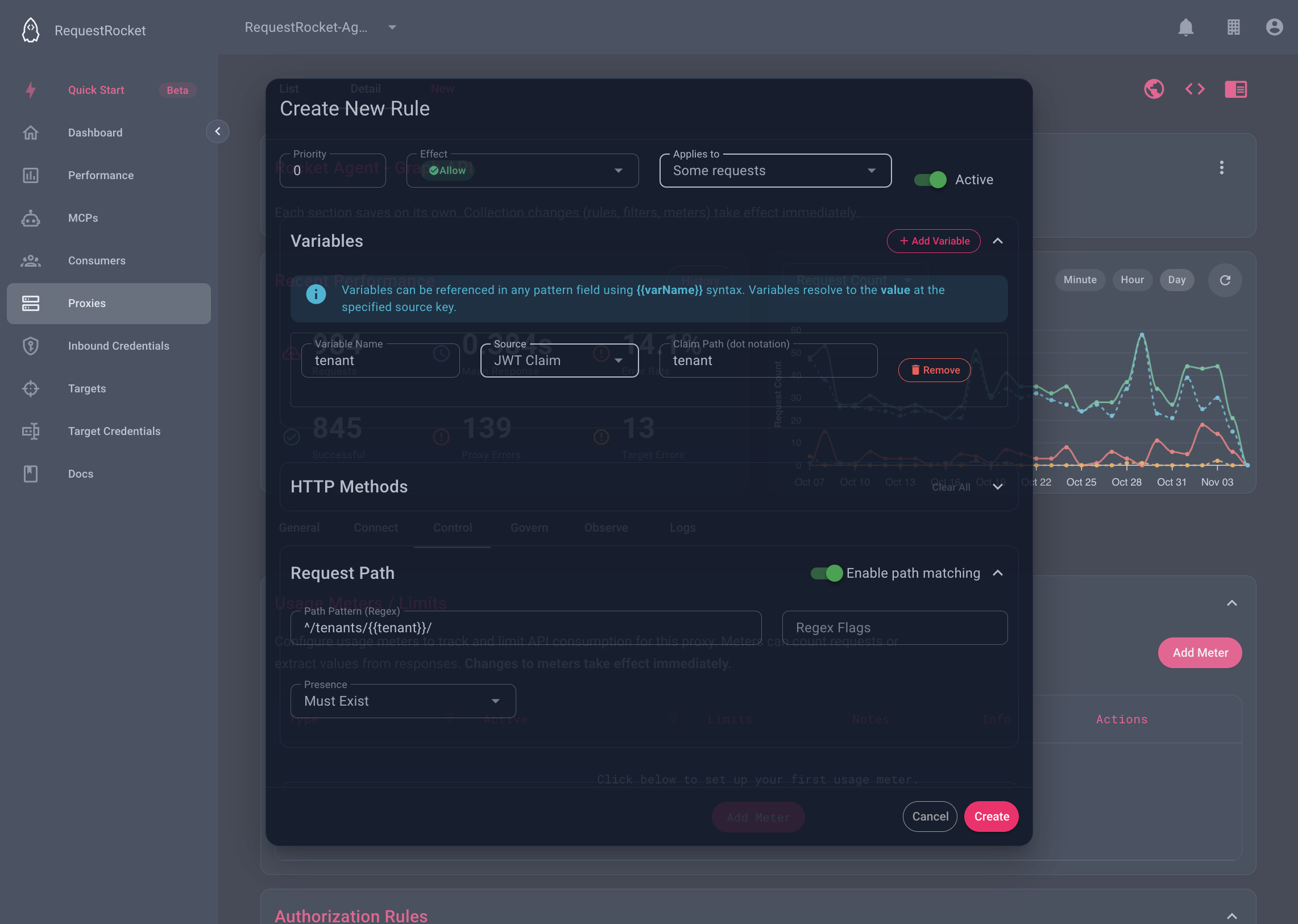
A variable gives a call value a name, so a pattern can use it. Define it once on the record, then write {{name}} in any pattern field. Variables are shared by every check on that record.
{ "name": "tenant", "source": "jwtClaim", "key": "tenant" }| Field | Meaning |
|---|---|
name | The token to write between double braces. Use letters, digits, and underscores. |
source | Where the value comes from. |
key | Which value to read from that source. |
Sources
| Source in the app | API value | key is |
|---|---|---|
| Header | headers | A header name. |
| Query Param | params | A query parameter name. |
| Request Body Field | body | A dot-notation path into the JSON request body, such as data.userId. |
| JWT Claim | jwtClaim | A dot-notation path into the inbound credential's claims, such as custom_metadata.region. |
| Static Value | static | The text itself. |
| Response Header | responseHeaders | A header name on the target's response. |
| Response Body Field | responseBody | A dot-notation path into the response body. |
| Response Status | responseStatus | Nothing. The value is the status code. |
The three response sources are for filters and response transforms. A rule, meter, override, or request transform runs before the target answers, so it has no response to read.
How a variable is substituted
RequestRocket replaces each {{name}} with the value before it compiles the regular expression.
- A value from the call is matched literally. Characters such as
.,*,+,?,(, and|are escaped first. A claim ofacme.corpbecomesacme\.corp. It cannot widen the pattern. - A Static Value is not escaped. Regex characters in it keep their meaning, so a static value of
admin|superusermatches either word. - Write the braces with no spaces.
{{tenant}}is substituted.{{ tenant }}is not. - A name with no matching variable fails the check. The same happens when the variable's source is missing from the call, for example a header that was not sent.
That last point has a consequence for Must Be Absent. A check that cannot resolve a variable does not match, so it does not pass as absent either. When a rule depends on a claim or header, add a check that requires it to exist.
Example: keep a caller inside its own tenant
The path must start with the caller's tenant claim.
{
  "effect": "allow",
  "ruleActive": true,
  "priority": 10,
  "variables": [
    { "name": "tenant", "source": "jwtClaim", "key": "tenant" }
  ],
  "path": {
    "path": { "pattern": "^/tenants/{{tenant}}/" },
    "presence": "must_exist"
  }
}
For a caller whose tenant claim is acme.corp, the pattern becomes ^/tenants/acme\.corp/. The path /tenants/acme.corp/orders matches. /tenants/acmeXcorp/orders does not. A caller with no tenant claim does not match this rule.
Example: match one of several values
A Static Value keeps its regex meaning, so it can hold a list.
{
  "variables": [
    { "name": "roles", "source": "static", "key": "admin|superuser" }
  ],
  "token": [
    {
      "claim": { "pattern": "^role$" },
      "value": { "pattern": "^({{roles}})$" },
      "presence": "must_exist"
    }
  ]
}
The value pattern becomes ^(admin|superuser)$. The check passes when the role claim is exactly admin or superuser.