

Filters
Retain or destroy fields on a response payload.
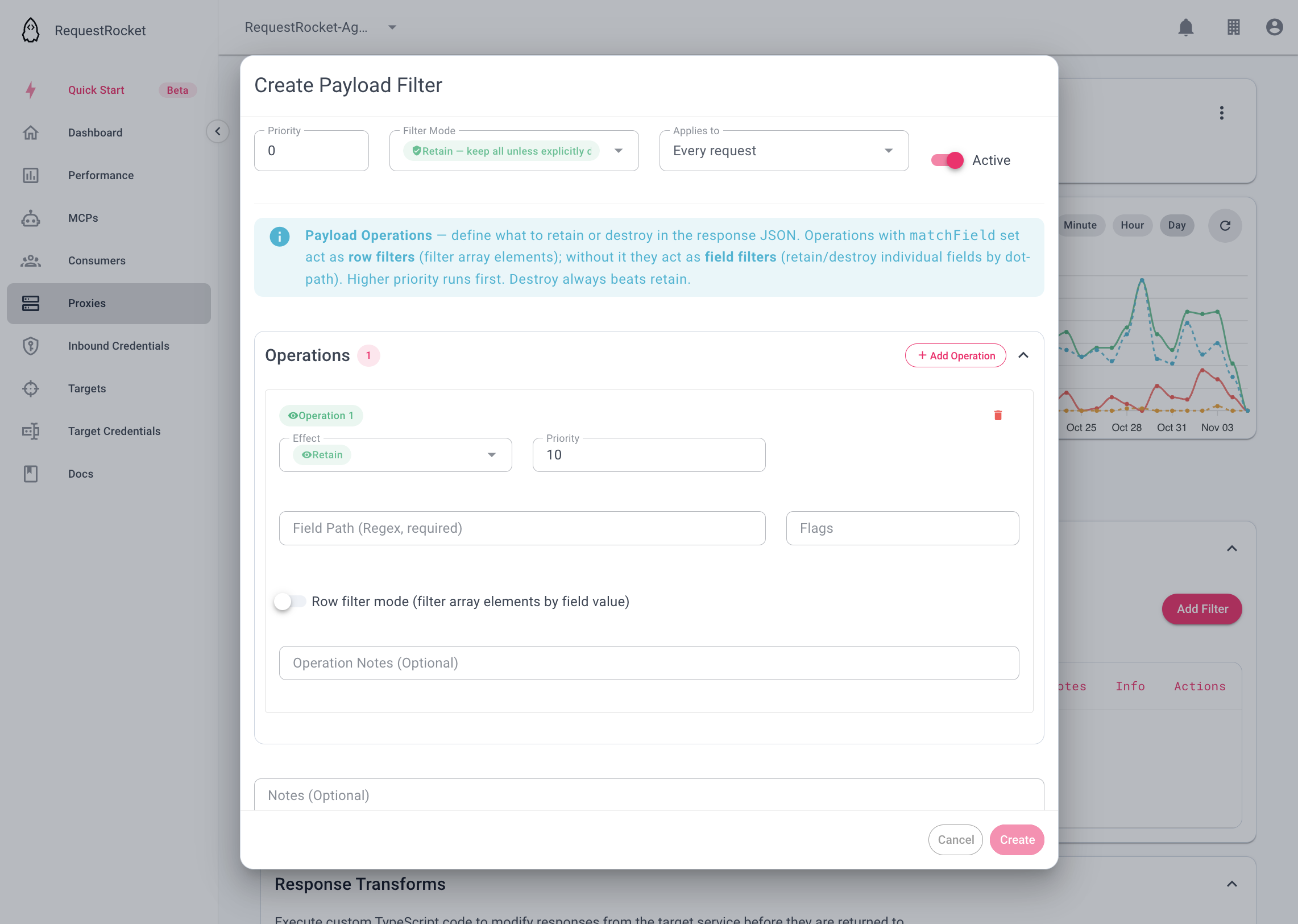
A filter changes a 2xx JSON response before the caller sees it and before it is stored. retain keeps a field. destroy removes one. On a proxy or a direct MCP server the Govern section is Filters. On a target, a target credential, and an inbound credential the section is Payload Filters. They run in this order: target credential, target, inbound credential, then the proxy. Path, header, query, body, and token matches are on Predicates.
target credential → target → inbound credential → proxy → response transform → callerEach stage receives the JSON produced by the previous stage. Non-2xx and binary responses pass through without filtering. If filters are configured for a non-binary 2xx response that is not a JSON object or array, the caller receives 422.
Add a filter
Open a saved proxy from Proxies, open the Govern tab, and expand Filters.
To remove a field from this response:
{ "id": 42, "email": "person@example.com", "password": "secret" }add destroy with JSON path pattern ^password$. The caller receives:
{ "id": 42, "email": "person@example.com" }For an allowlist, set the default operation to destroy and add retain operations for ^id$ and ^email$. The same input produces the same safe result.
Result
The filtered payload is passed to response transforms and then returned. Destroy wins when retain and destroy both match the same path.
Troubleshooting
- The operation path uses dot notation such as
user.email, not JSONPath$syntax. - A filter timeout returns
504; a configured filter on non-JSON 2xx content returns422. - A proxy-backed MCP server cannot own filters; configure them on its backing proxy.